
Free guide · Legacy to Power Platform
Rebuild any legacy app with REA + agents
REA (Reverse Engineer Anything) reads the old app nobody can explain. Agents rebuild it on Power Platform. Eight steps, one real example.
What REA is.
REA is an open source MCP server (MIT license). It lets your agent, such as Claude Code, Codex or Cursor, inspect compiled apps without their source code and explain how a feature works, with the evidence behind every conclusion. It reads native binaries through Ghidra, IDA or Hopper, .NET assemblies, JavaScript and Electron apps, websites and SQLite files. Analysis runs locally.
The worked example: FieldDesk.
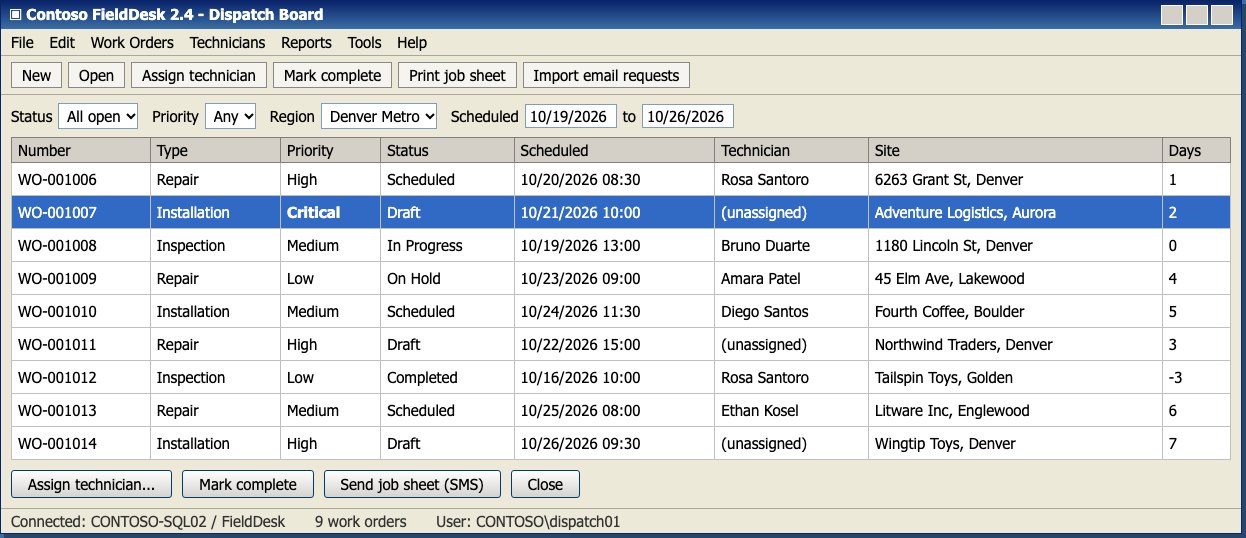
Every step below runs on one app: FieldDesk, a desktop dispatcher for a field service team. Work orders, technicians, certifications, SMS job alerts and emailed service requests, all locked inside a compiled .NET app and a SQL Server database.
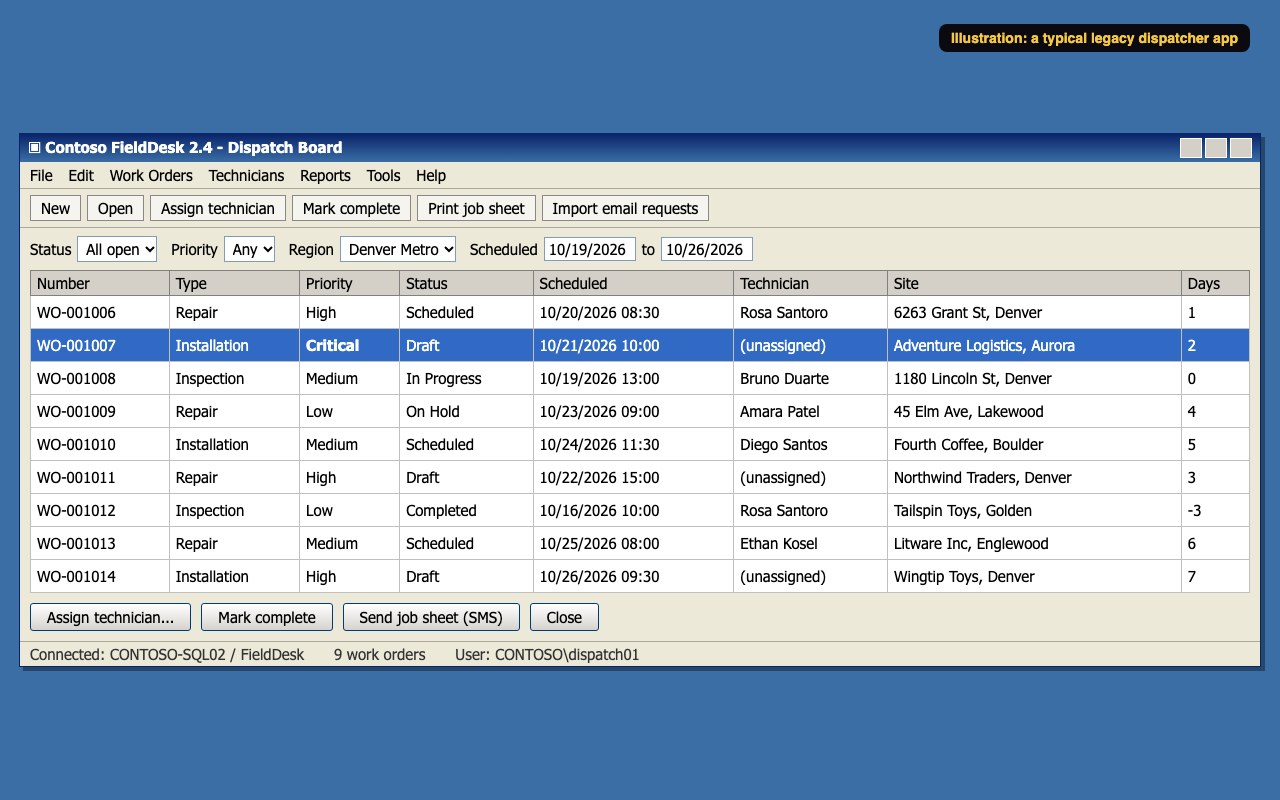
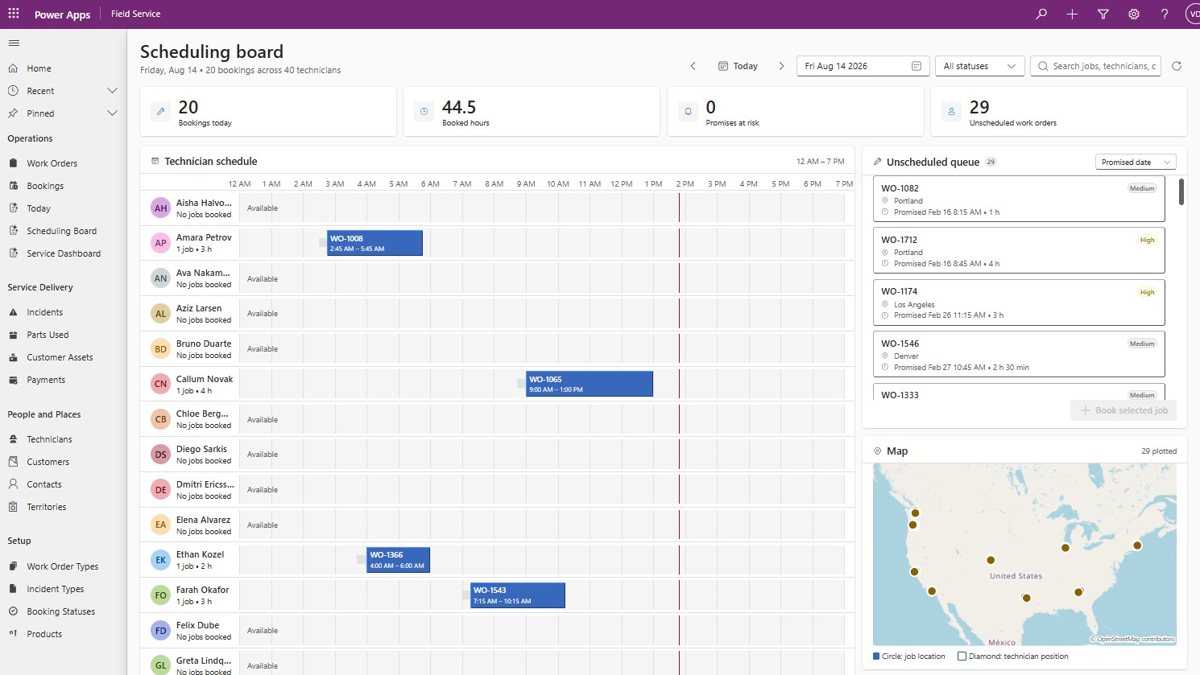
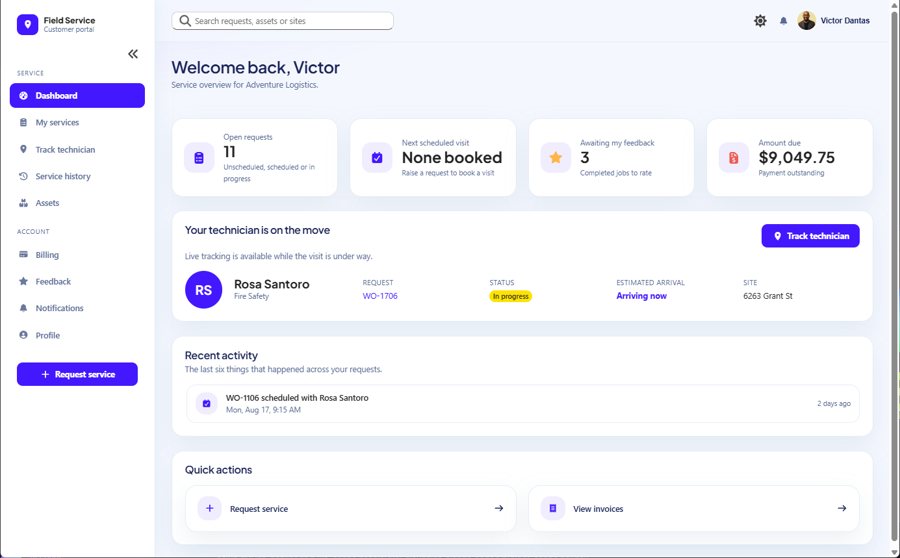
The rebuild target is the Field Service app you build chapter by chapter in the Inner Circle book: the Dataverse model, the model-driven app, the assignment and completion flows, and the customer portal.
Map it. Free.
-
01
Get the rights first Must
Only analyze software you own or are authorized to examine. REA's own README says the same.
- Read the EULA or contract for reverse engineering terms.
- Get written OK from the app owner, which is usually your client.
- Use legally licensed tools only. Ghidra is free; IDA and Hopper are paid.
- Work on a copy, on your own machine. REA analysis runs locally.
- Never put client binaries or data in a public repo or chat.
-
02
Connect REA to your agent Setup
One command registers REA with your agent and installs its workflow instructions, with backups of your existing configuration.
$ npx rea-agents setup- Install Node.js 22.19 or later, and npm.
- Pick your agents: Claude Code, Codex, Cursor, Gemini CLI and more.
- Review the proposed changes, approve, then restart your agent.
- Native apps: point it at the Ghidra, IDA or Hopper you already have. .NET and JavaScript need no extra tools.
- REA changes fast. Update with
npx rea-agents@latest setup.
-
03
Point it at the app, one feature at a time Map
Match the legacy app to what REA can read, then ask about one feature in plain English.
- VB6 or C++ .exe: native analysis through Ghidra, IDA or Hopper.
- .NET WinForms or WPF: assembly inspection, static, no extra tools. That's FieldDesk.
- Electron or JavaScript app: modules, routes and IPC.
- Web app: page structure, scripts and network, or a saved HAR capture.
- SQLite file: tables, columns, indexes and triggers.
Explain how technician assignment works in Contoso.FieldDesk.dll. Show me the evidence.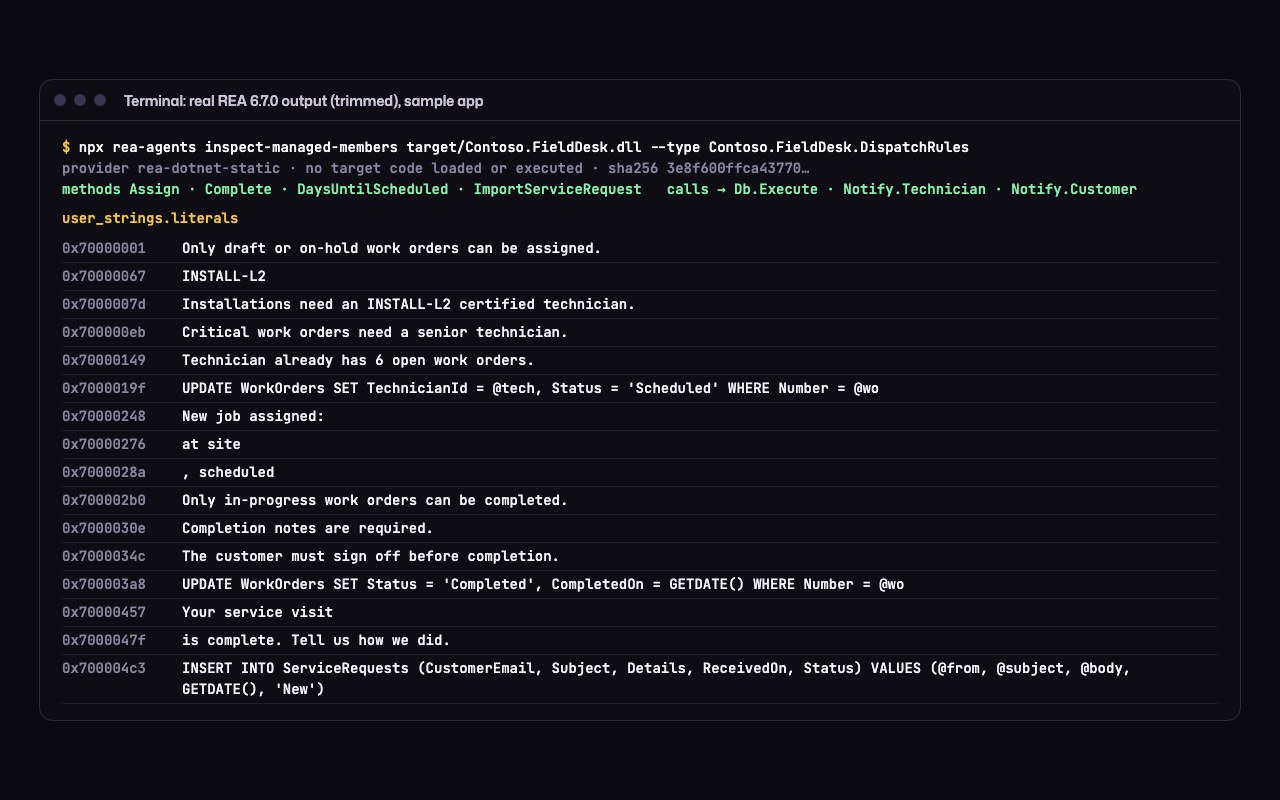
Real REA output on FieldDesk, trimmed. No source code, no symbols: the business rules come straight out of the compiled app. -
04
Triage the evidence Map
REA returns each finding with its evidence and its limits, and says what it can't see. Label every finding.
- Seen (code, strings or calls cited): write it into the spec.
- Inferred: confirm it with the people who use the app.
- Unknown: take it to a workshop with the business.
- Keep a feature map: one row per feature, with its evidence.
- That map is your backlog for steps 5 to 8.
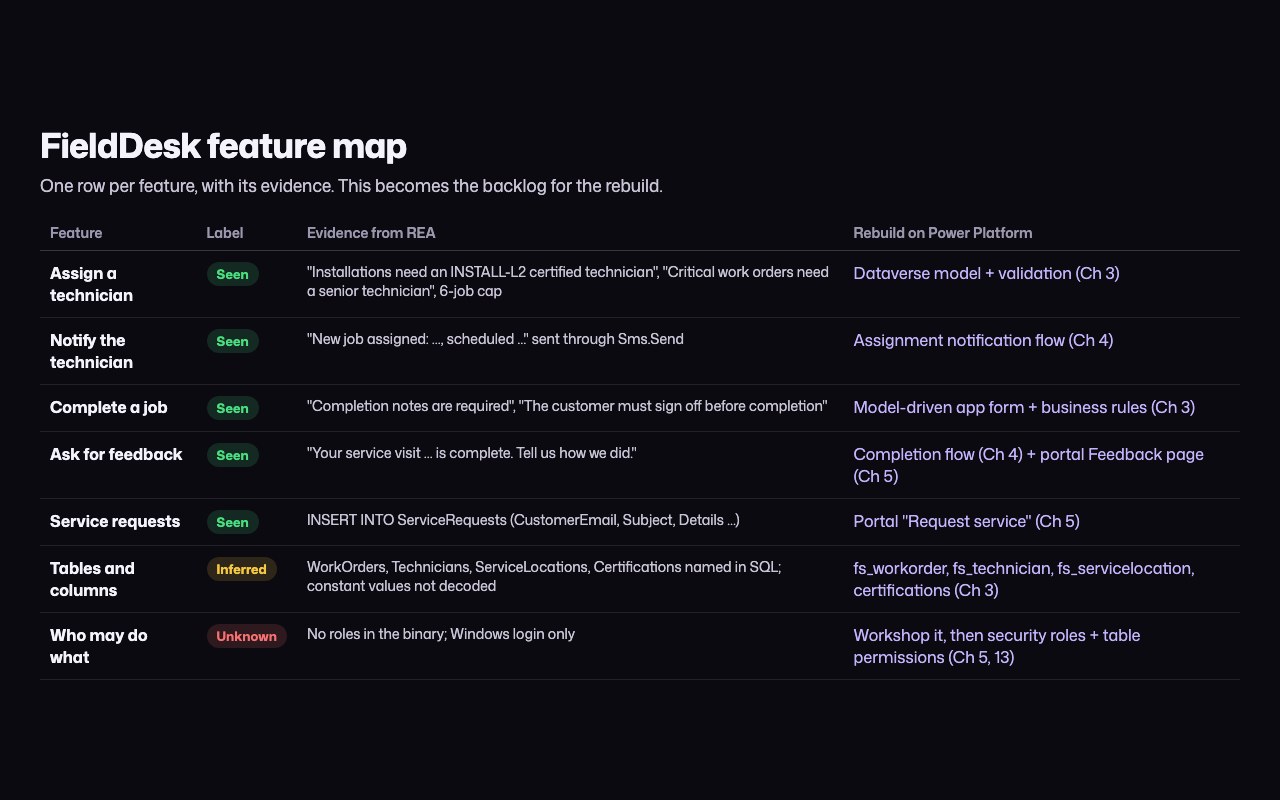
The FieldDesk feature map. Every row points at the chapter that rebuilds it.
Rebuild it. Inner Circle.
Steps 5 to 8 turn the FieldDesk map into the Field Service app from the book, row by row: the exact prompts, the review checkpoints and the parity tests.
-
05
Model the data Inner Circle
WorkOrders, Technicians, ServiceLocations and Certifications become Dataverse tables with the fs_ prefix, status reasons instead of status columns, and the technician to certification relationship.
Chapter 3: Dataverse, the Field Service data model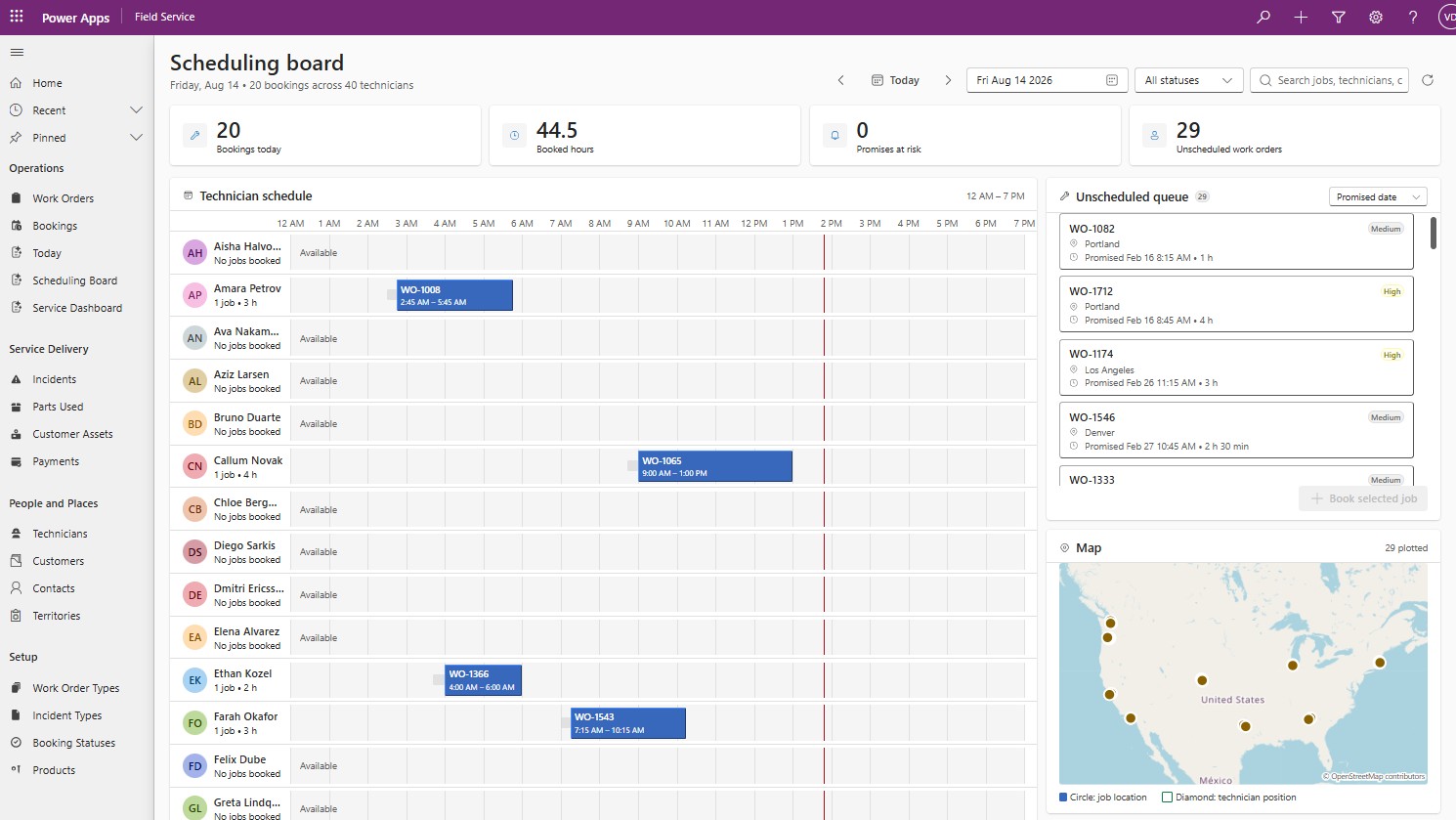
-
06
Rebuild screens and logic Inner Circle
The dispatch board becomes a model-driven app. The SMS job alert becomes the assignment notification flow. Emailed requests become the customer portal's Request service page.
Chapters 3, 4 and 5: model-driven app, flows, Power Pages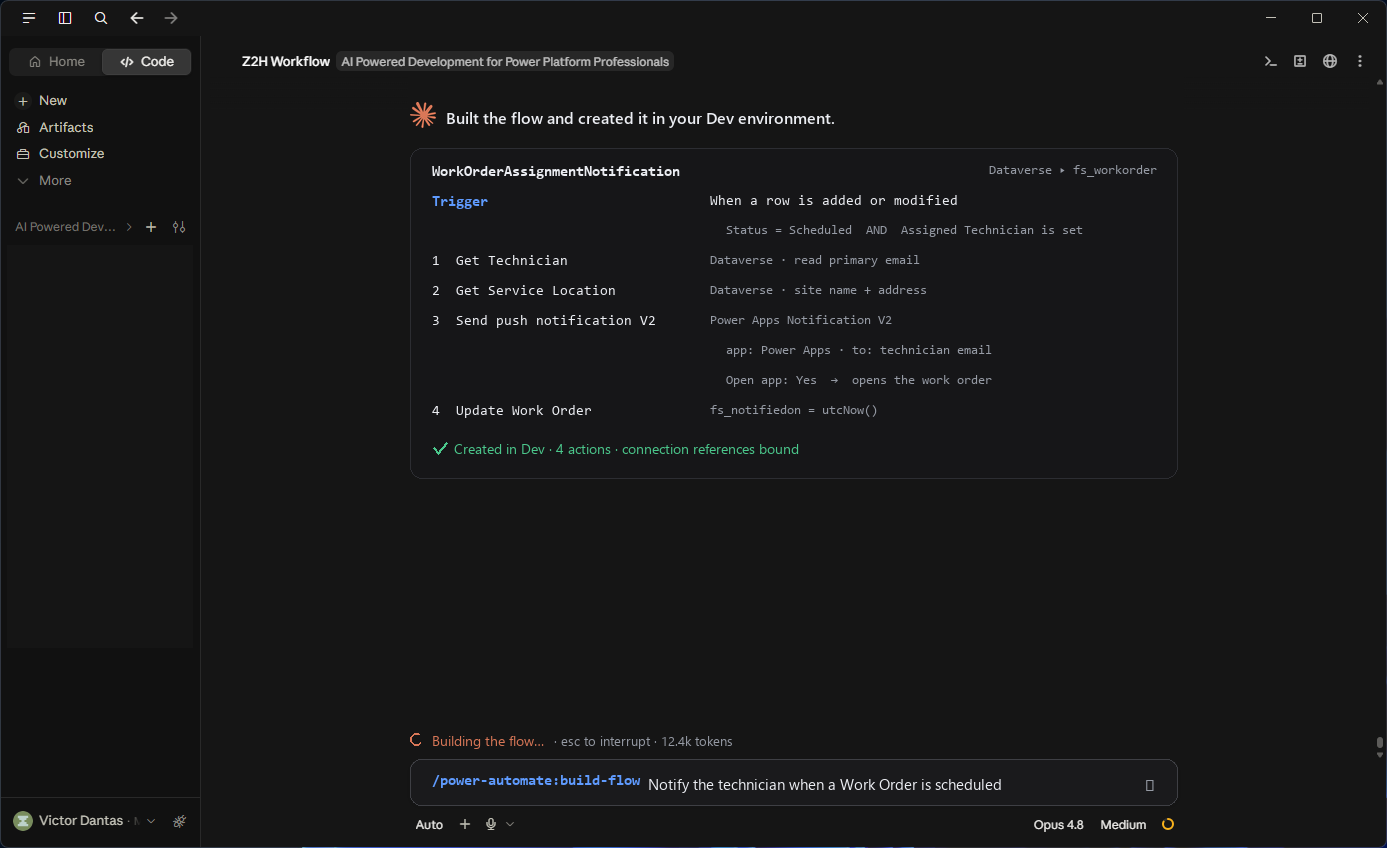
-
07
Prove parity Inner Circle
Every Seen finding becomes a test case: an INSTALL-L2 check, a senior-only Critical job, the 6-job cap, completion without sign-off. Same inputs, same outputs, old and new side by side.
Chapter 13: quality gates for AI-generated assets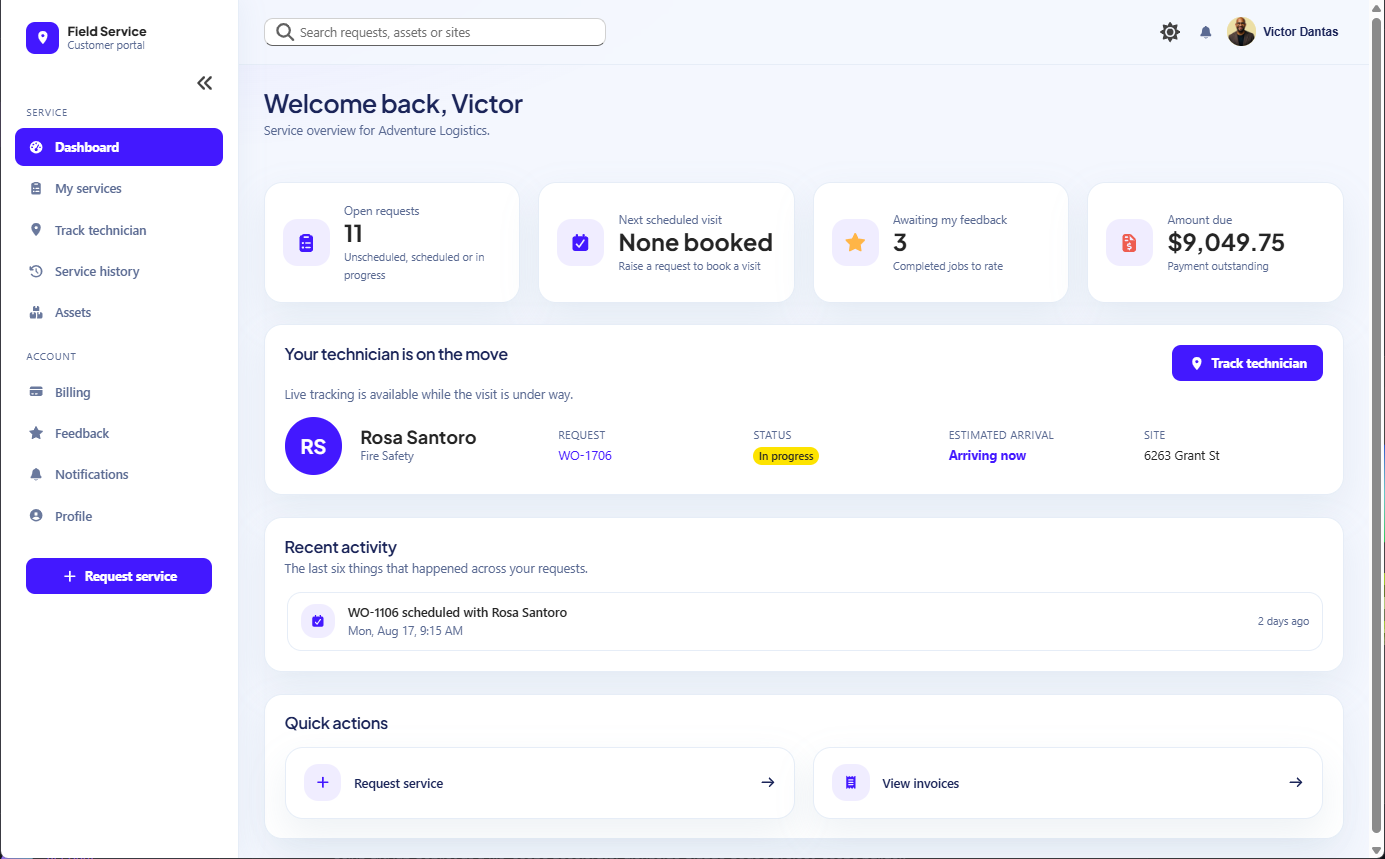
-
08
Lock it down Inner Circle
FieldDesk trusted anyone with a Windows login. The rebuild gets security roles, table permissions scoped to each customer, and server-side rules, then a security review before go-live.
Chapters 5 and 13: table permissions, security review, governance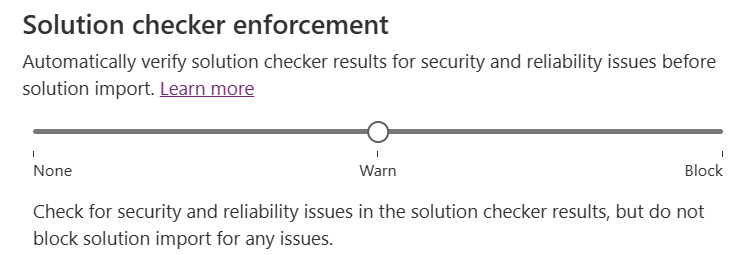
Reading it is step one. Building it is the point.
Here's how people go from saving a post to shipping the rebuild.
-
You're here
The free playbook
Steps 1 to 4, the worked example and the PDF. Yours to keep.
Download the PDF -
Free
The Builder's Journey
Two free hands-on labs: Dataverse and a model-driven app with AI plugins. Every step is checked, and you earn a verifiable badge.
Start the free labs (opens in new tab) -
Members
The Inner Circle
Steps 5 to 8 on FieldDesk, the Field Service chapters behind them, every lab and weekly live builds with Victor. Try it free for 7 days.
Start the 7-day free trial
Want the whole path? See the Builder's Journey.